---
description: Real-world OpenClaw projects from the community
read_when:
- 尋找真實的 OpenClaw 使用範例
- 更新社群專案亮點
summary: 由社群打造、由 OpenClaw 驅動的專案與整合
title: 展示
x-i18n:
generated_at: "2026-04-30T03:41:19Z"
model: gpt-5.5
provider: openai
source_hash: db901336bb0814eae93453331a58aa267024afeb53f259f5e2a4d71df1039ad2
source_path: start/showcase.md
workflow: 16
---
OpenClaw 專案不是玩具示範。人們正在從他們已經使用的通道交付 PR 審查迴圈、行動應用程式、家庭自動化、語音系統、開發工具,以及大量使用記憶體的工作流程 —— 在 Telegram、WhatsApp、Discord 和終端機上進行以聊天為原生介面的建置;無需等待 API 即可處理預訂、購物和支援的真實自動化;以及與印表機、吸塵器、攝影機和家庭系統整合的實體世界應用。
**想被收錄嗎?** 在 [Discord 的 #self-promotion](https://discord.gg/clawd) 分享你的專案,或在 [X 上標記 @openclaw](https://x.com/openclaw)。
## 影片
如果你想用最短路徑從「這是什麼?」到「好,我懂了」,從這裡開始。
VelvetShark,28 分鐘。安裝、上手,並從頭到尾取得第一個可運作的助理。
快速瀏覽圍繞 OpenClaw 建置的真實專案、介面與工作流程。
來自社群的範例,從以聊天為原生介面的編碼迴圈,到硬體與個人自動化。
## Discord 最新亮點
橫跨編碼、開發工具、行動端,以及以聊天為原生介面的產品建置的近期亮點。
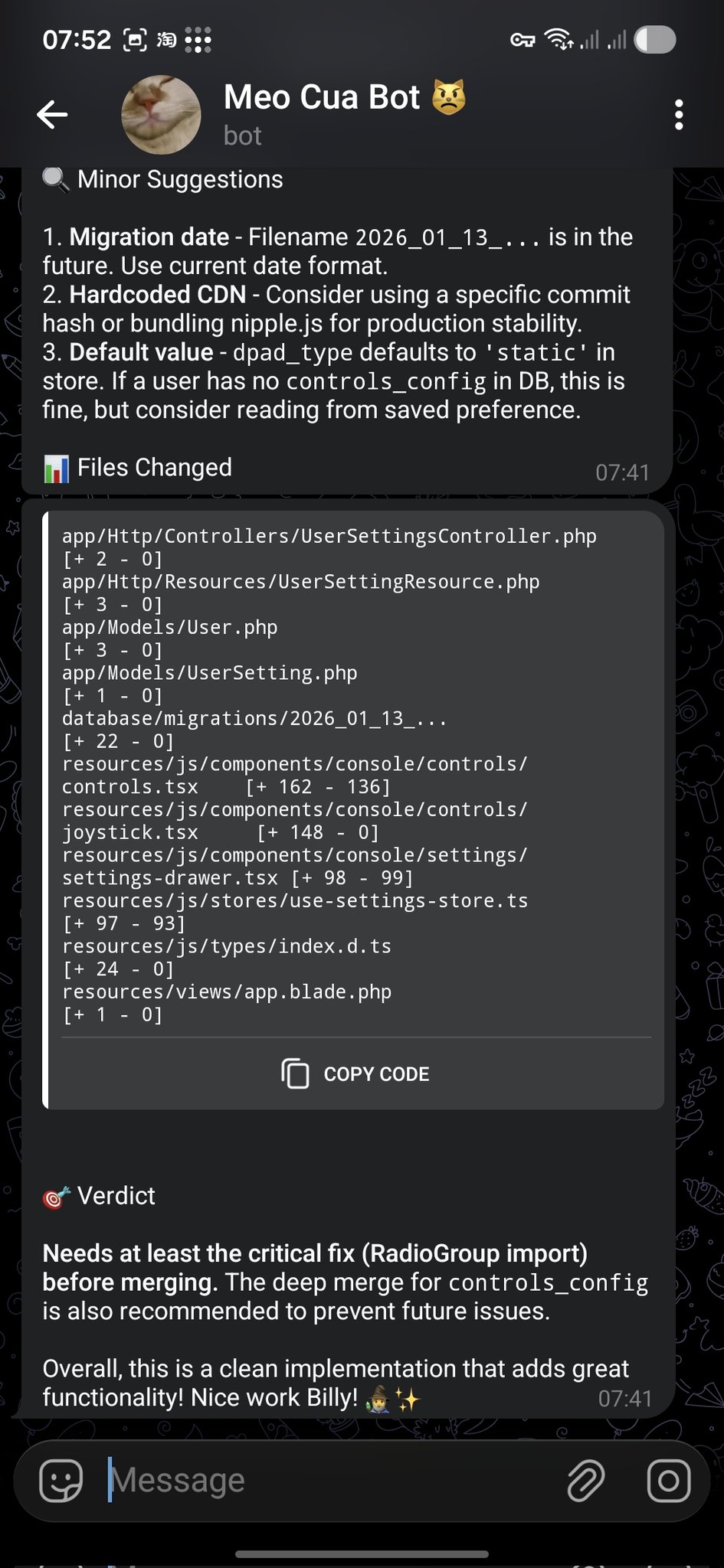
**@bangnokia** • `review` `github` `telegram`
OpenCode 完成變更、開啟 PR,OpenClaw 審查差異,並在 Telegram 回覆建議與清楚的合併判斷。
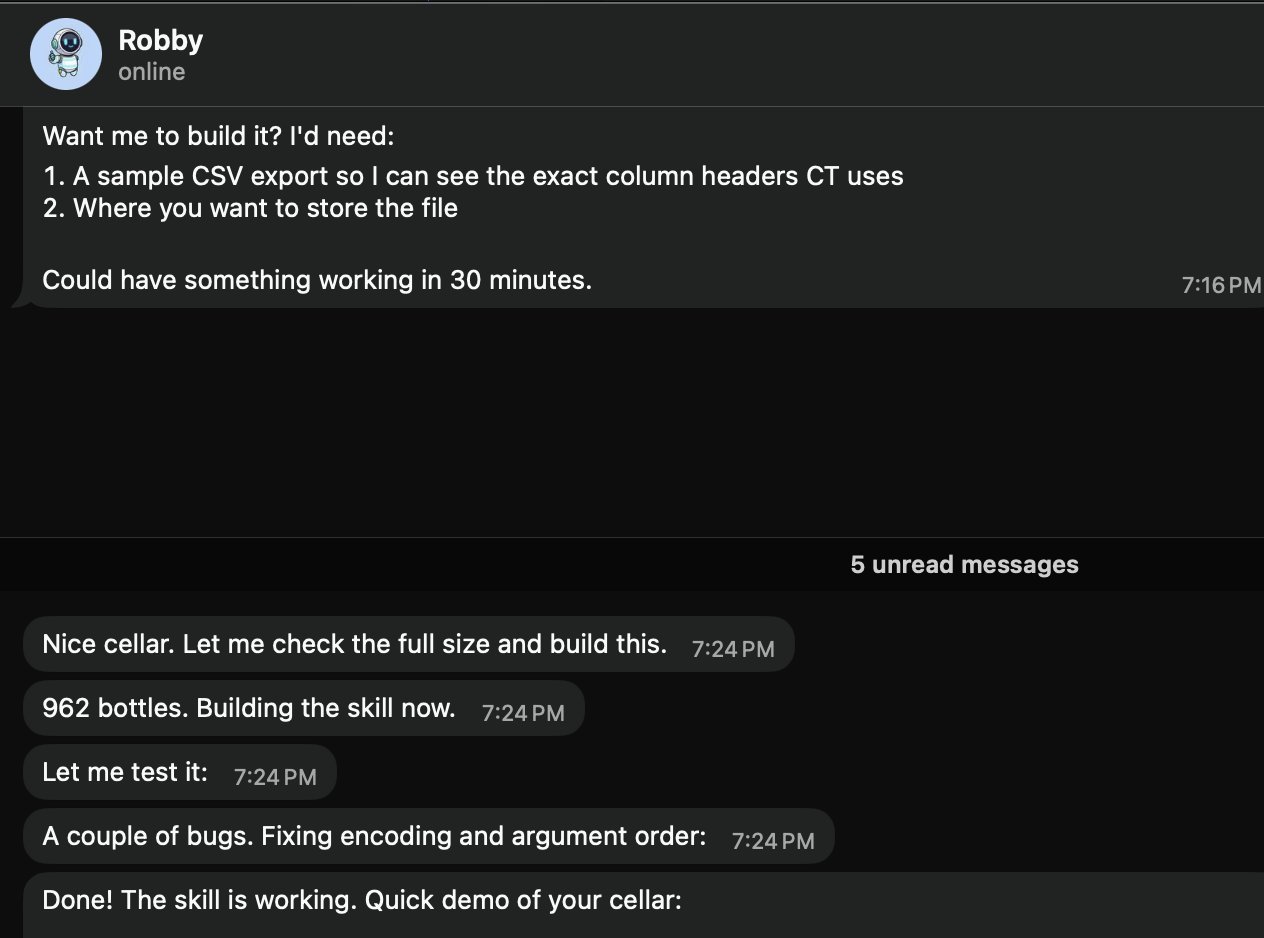
 **@prades_maxime** • `skills` `local` `csv`
請「Robby」(@openclaw) 建立本機酒窖技能。它會要求一份 CSV 匯出範例和儲存路徑,然後建置並測試該技能(範例中有 962 瓶)。
**@prades_maxime** • `skills` `local` `csv`
請「Robby」(@openclaw) 建立本機酒窖技能。它會要求一份 CSV 匯出範例和儲存路徑,然後建置並測試該技能(範例中有 962 瓶)。
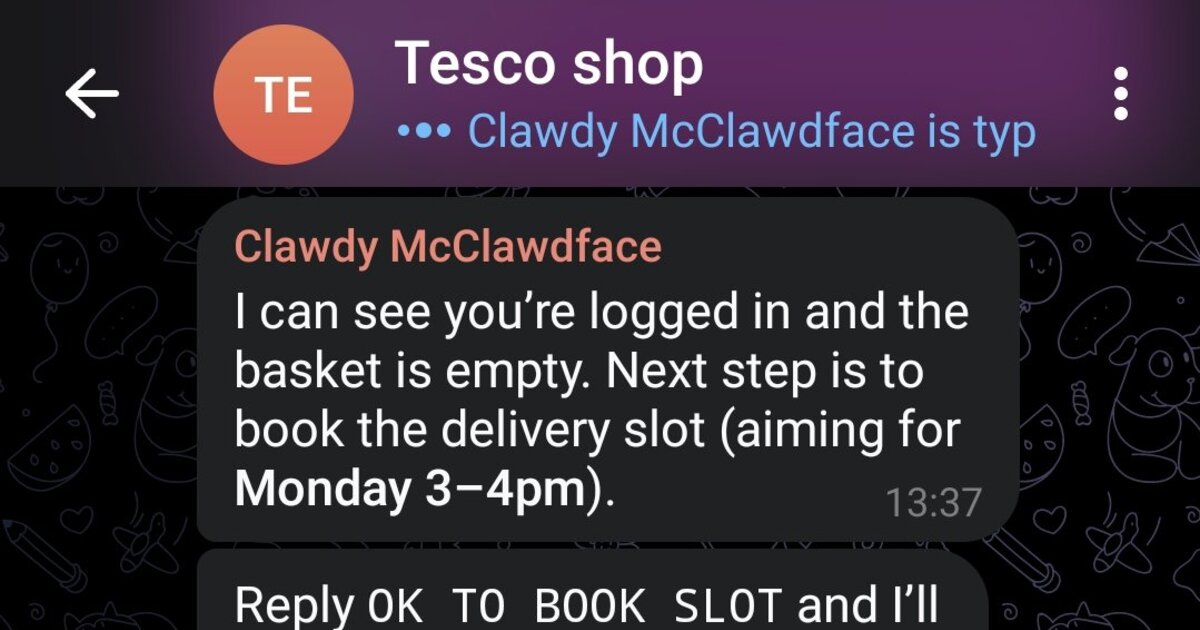
 **@marchattonhere** • `automation` `browser` `shopping`
每週餐點計畫、常購品、預訂配送時段、確認訂單。不用 API,只靠瀏覽器控制。
**@marchattonhere** • `automation` `browser` `shopping`
每週餐點計畫、常購品、預訂配送時段、確認訂單。不用 API,只靠瀏覽器控制。
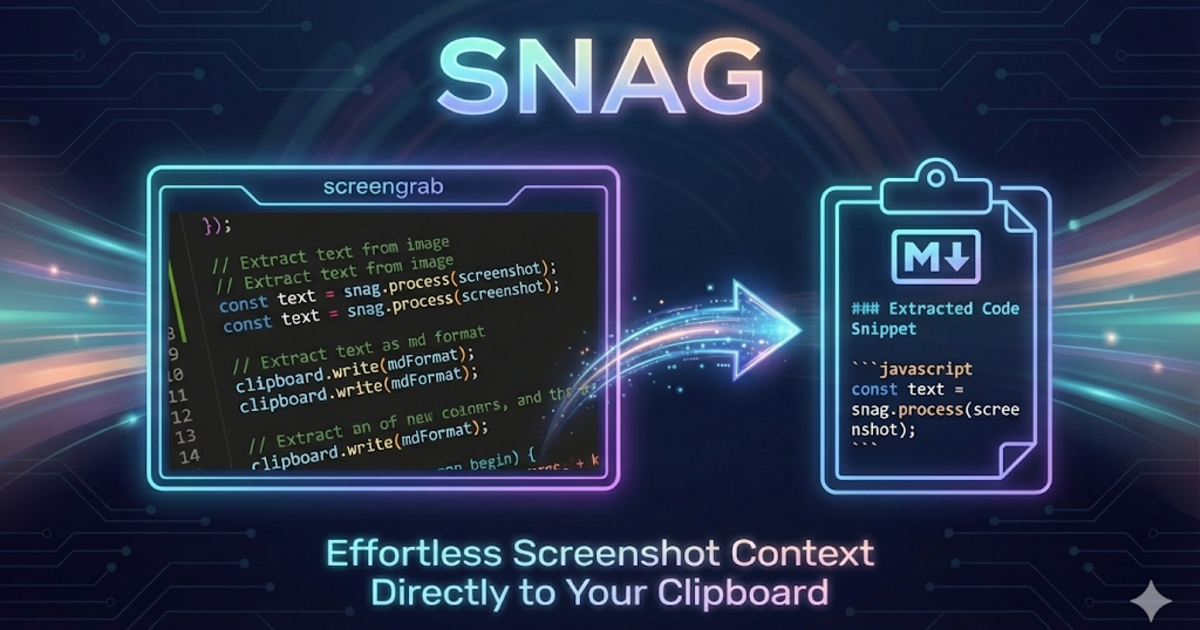
 **@am-will** • `devtools` `screenshots` `markdown`
用快速鍵選取螢幕區域,透過 Gemini 視覺處理,立即把 Markdown 放進剪貼簿。
**@am-will** • `devtools` `screenshots` `markdown`
用快速鍵選取螢幕區域,透過 Gemini 視覺處理,立即把 Markdown 放進剪貼簿。
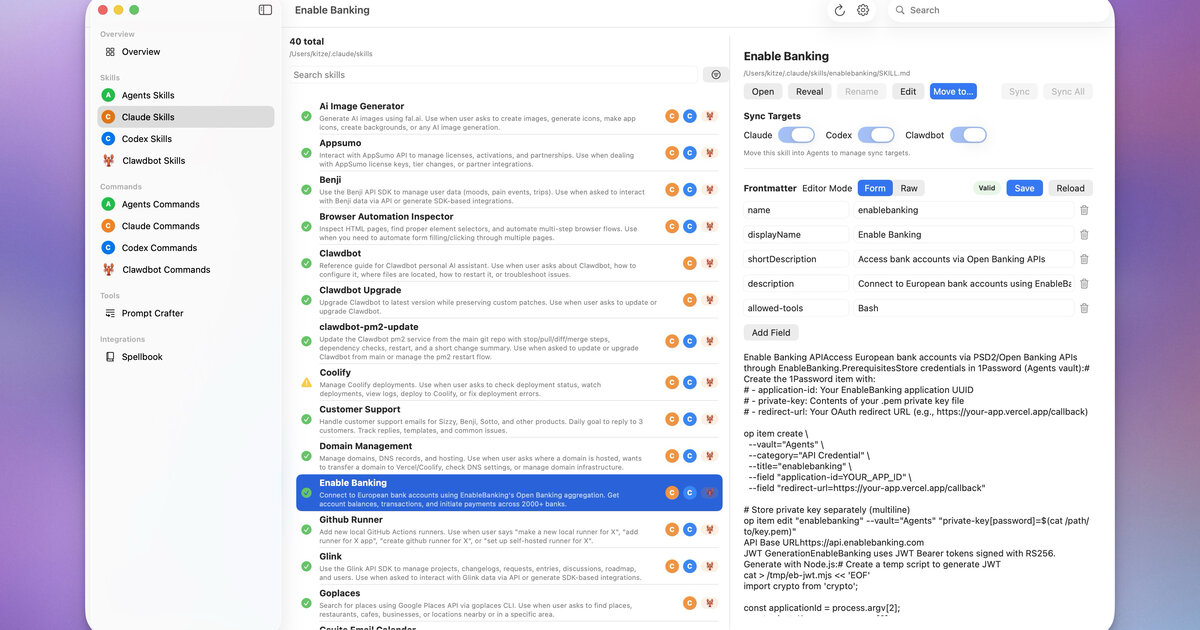
 **@kitze** • `ui` `skills` `sync`
用於跨 Agents、Claude、Codex 和 OpenClaw 管理技能與命令的桌面應用程式。
**@kitze** • `ui` `skills` `sync`
用於跨 Agents、Claude、Codex 和 OpenClaw 管理技能與命令的桌面應用程式。
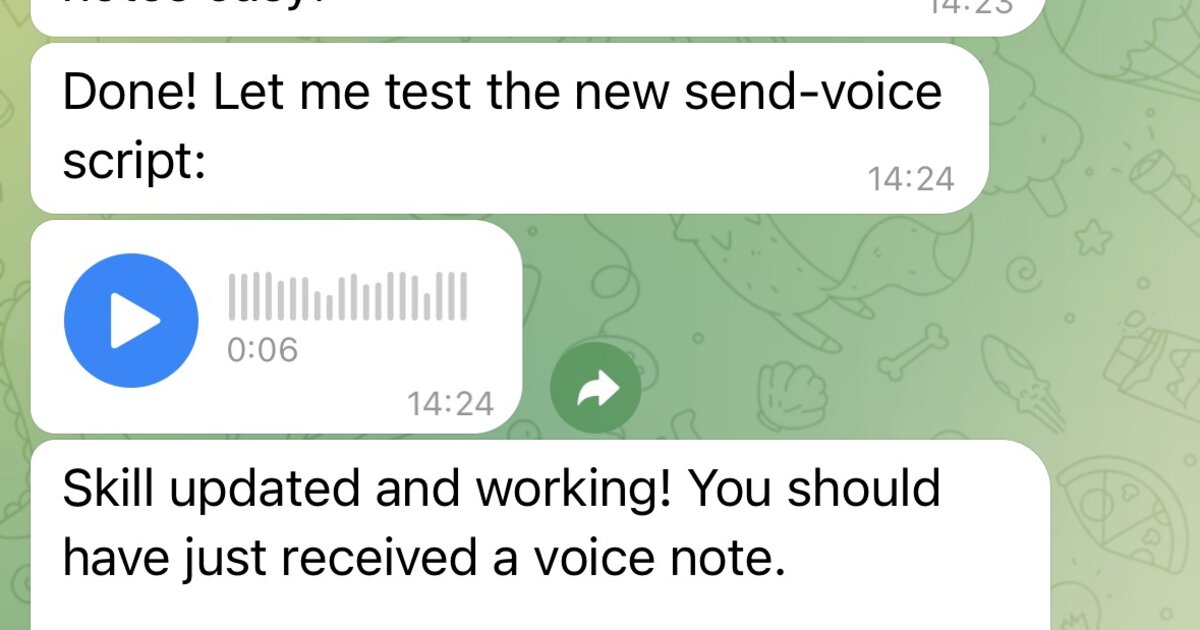
 **社群** • `voice` `tts` `telegram`
包裝 papla.media TTS,並將結果作為 Telegram 語音訊息傳送(沒有惱人的自動播放)。
**社群** • `voice` `tts` `telegram`
包裝 papla.media TTS,並將結果作為 Telegram 語音訊息傳送(沒有惱人的自動播放)。
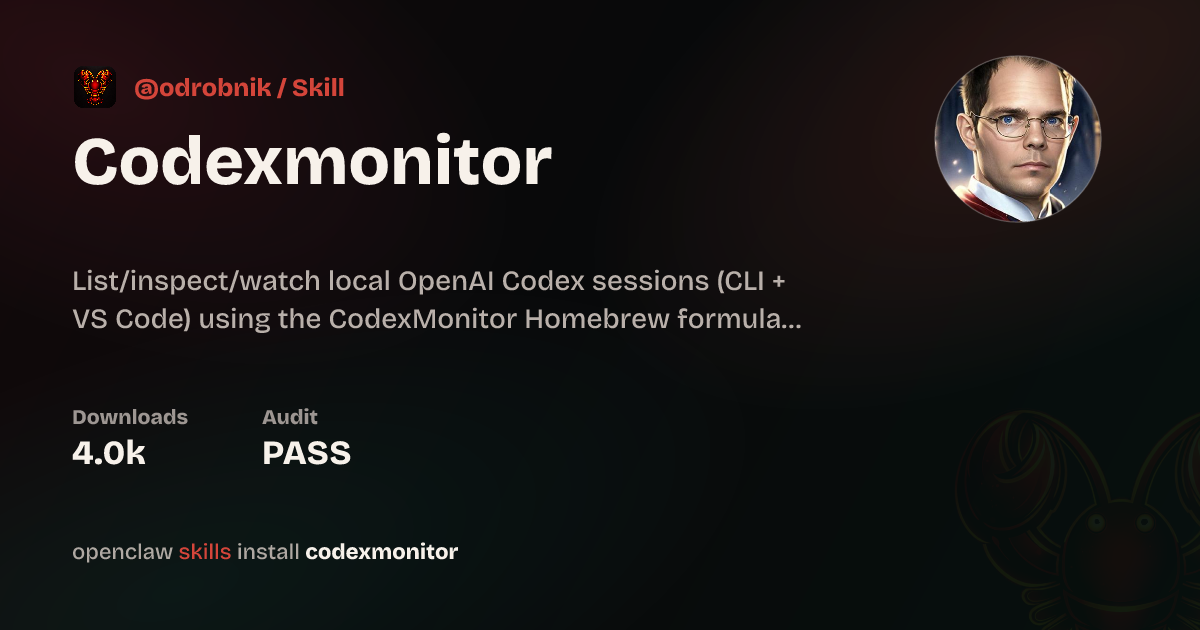
 **@odrobnik** • `devtools` `codex` `brew`
透過 Homebrew 安裝的輔助工具,用來列出、檢查並監看本機 OpenAI Codex 工作階段(CLI + VS Code)。
**@odrobnik** • `devtools` `codex` `brew`
透過 Homebrew 安裝的輔助工具,用來列出、檢查並監看本機 OpenAI Codex 工作階段(CLI + VS Code)。
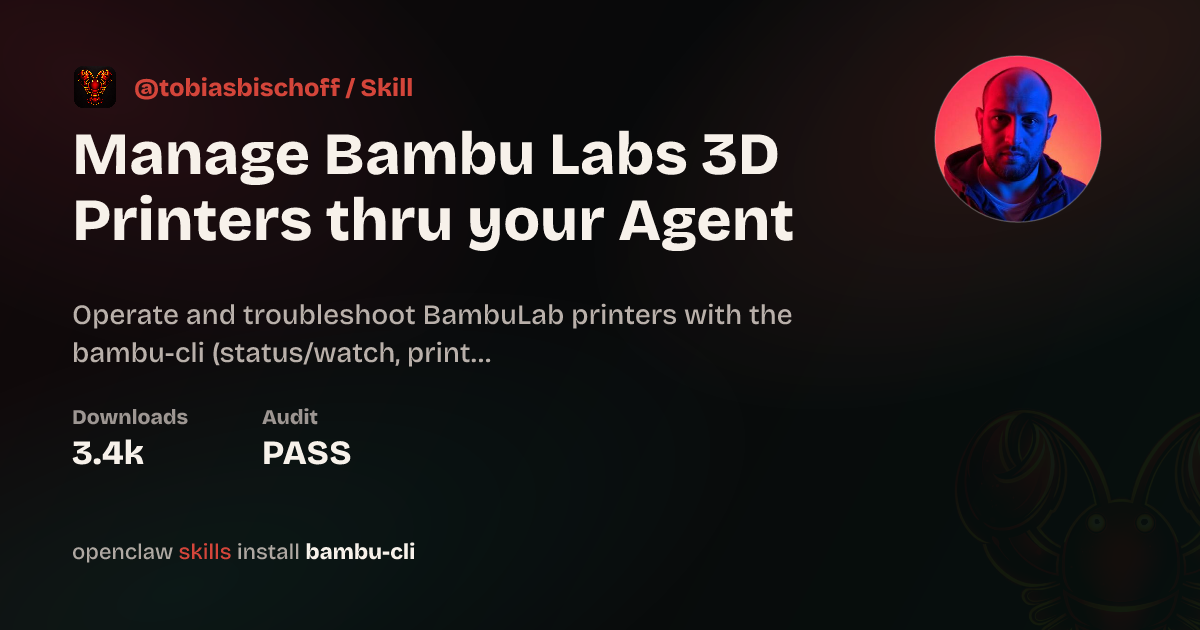
 **@tobiasbischoff** • `hardware` `3d-printing` `skill`
控制並疑難排解 BambuLab 印表機:狀態、工作、攝影機、AMS、校準等。
**@tobiasbischoff** • `hardware` `3d-printing` `skill`
控制並疑難排解 BambuLab 印表機:狀態、工作、攝影機、AMS、校準等。
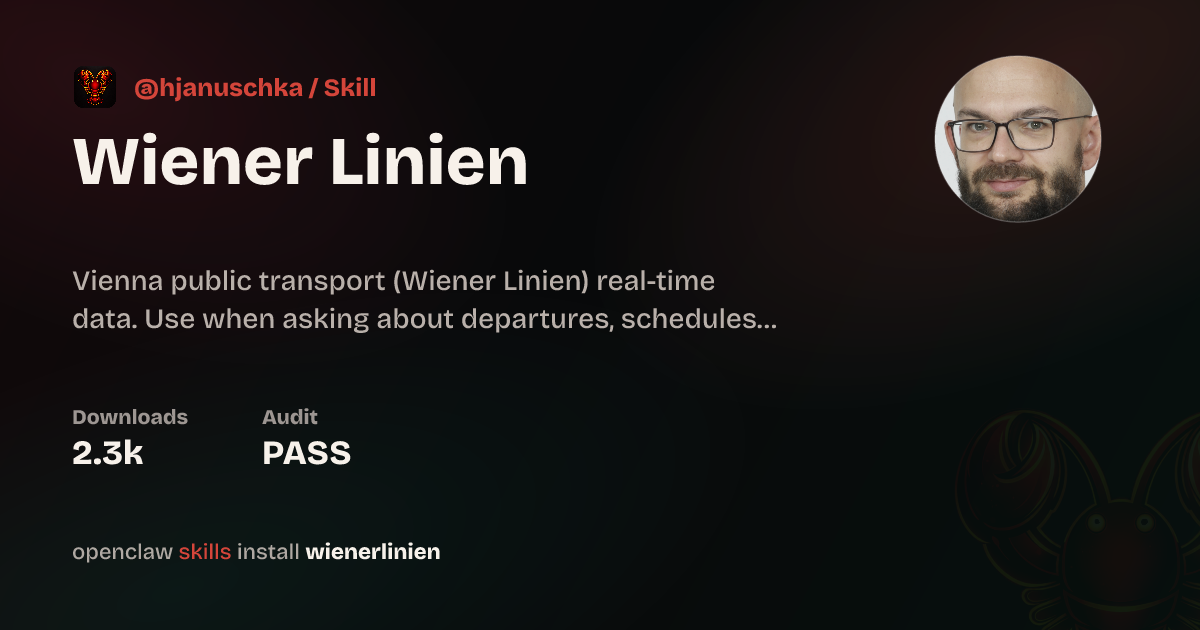
 **@hjanuschka** • `travel` `transport` `skill`
維也納大眾運輸的即時發車、服務中斷、電梯狀態與路線規劃。
**@hjanuschka** • `travel` `transport` `skill`
維也納大眾運輸的即時發車、服務中斷、電梯狀態與路線規劃。
 **@George5562** • `automation` `browser` `parenting`
透過 ParentPay 自動預訂英國學校餐點。使用滑鼠座標可靠地點選表格儲存格。
**@julianengel** • `files` `r2` `presigned-urls`
上傳到 Cloudflare R2/S3,並產生安全的預簽下載連結。適用於遠端 OpenClaw 執行個體。
**@coard** • `ios` `xcode` `testflight`
完全透過 Telegram 聊天建置了包含地圖和語音錄製的完整 iOS 應用程式,並部署到 TestFlight。
**@George5562** • `automation` `browser` `parenting`
透過 ParentPay 自動預訂英國學校餐點。使用滑鼠座標可靠地點選表格儲存格。
**@julianengel** • `files` `r2` `presigned-urls`
上傳到 Cloudflare R2/S3,並產生安全的預簽下載連結。適用於遠端 OpenClaw 執行個體。
**@coard** • `ios` `xcode` `testflight`
完全透過 Telegram 聊天建置了包含地圖和語音錄製的完整 iOS 應用程式,並部署到 TestFlight。
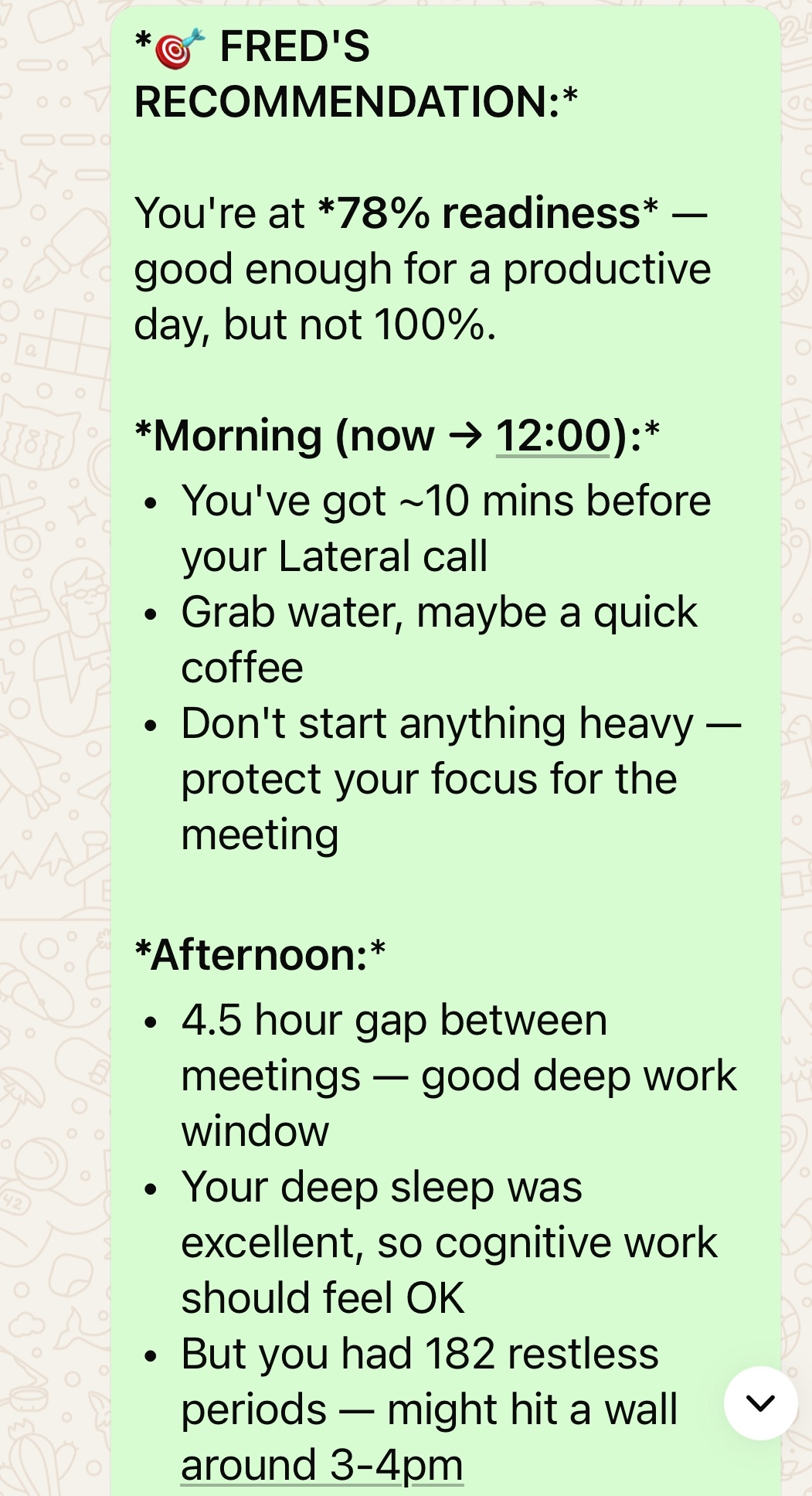
 **@AS** • `health` `oura` `calendar`
個人 AI 健康助理,將 Oura ring 資料與行事曆、預約和健身房時程整合。
**@AS** • `health` `oura` `calendar`
個人 AI 健康助理,將 Oura ring 資料與行事曆、預約和健身房時程整合。
 **@adam91holt** • `multi-agent` `orchestration`
14+ 個代理在同一個 gateway 下運作,由 Opus 4.5 協調器委派給 Codex workers。請參閱[技術文章](https://github.com/adam91holt/orchestrated-ai-articles)與 [Clawdspace](https://github.com/adam91holt/clawdspace) 了解代理沙盒化。
**@NessZerra** • `devtools` `linear` `cli`
整合代理式工作流程(Claude Code、OpenClaw)的 Linear CLI。從終端機管理議題、專案和工作流程。
**@jules** • `messaging` `beeper` `cli`
透過 Beeper Desktop 讀取、傳送和封存訊息。使用 Beeper local MCP API,讓代理能在同一處管理你的所有聊天(iMessage、WhatsApp 等)。
## 自動化與工作流程
排程、瀏覽器控制、支援迴圈,以及產品中「直接幫我完成任務」的一面。
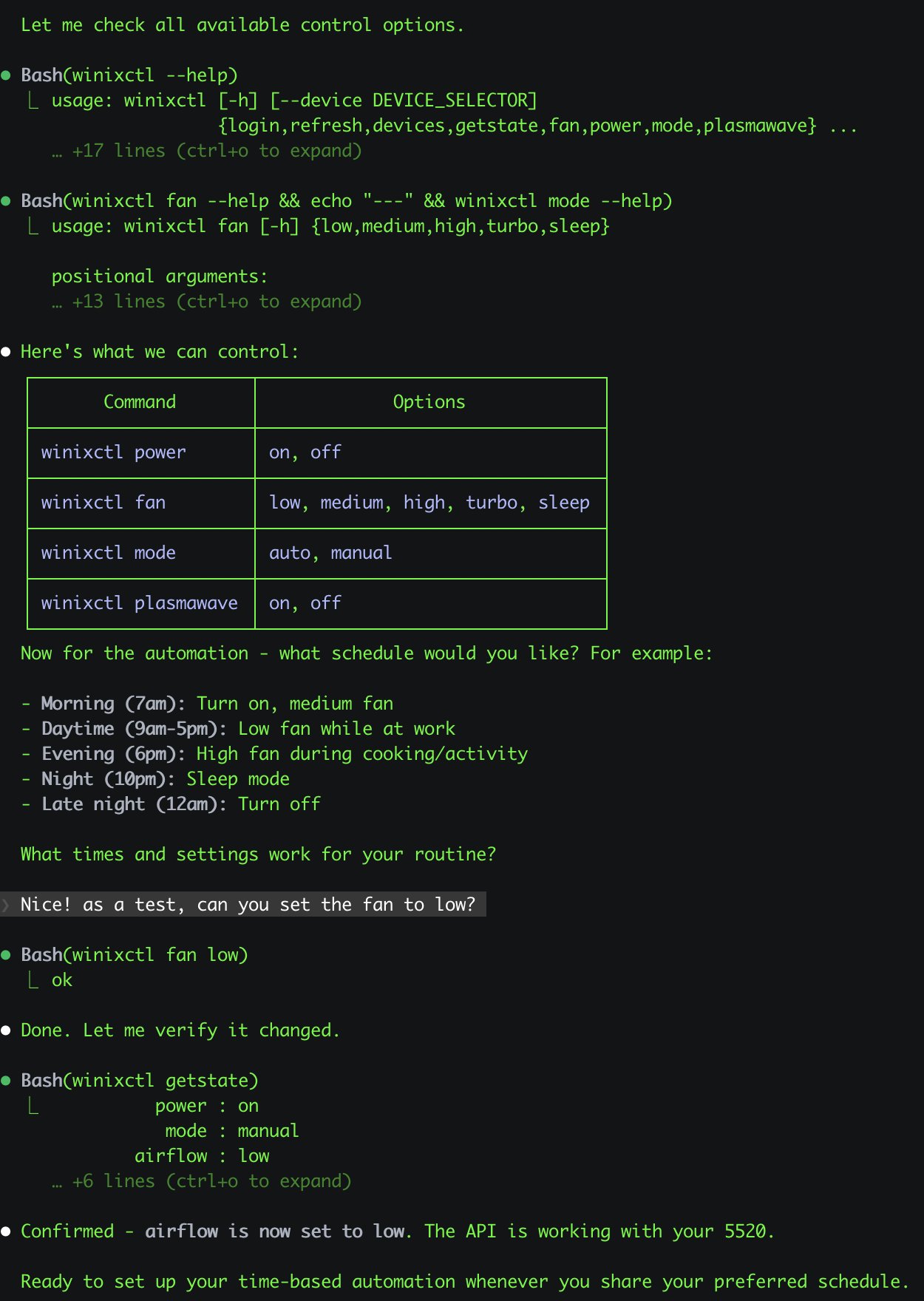
**@antonplex** • `automation` `hardware` `air-quality`
Claude Code 發現並確認了清淨機控制項,接著由 OpenClaw 接手管理房間空氣品質。
**@adam91holt** • `multi-agent` `orchestration`
14+ 個代理在同一個 gateway 下運作,由 Opus 4.5 協調器委派給 Codex workers。請參閱[技術文章](https://github.com/adam91holt/orchestrated-ai-articles)與 [Clawdspace](https://github.com/adam91holt/clawdspace) 了解代理沙盒化。
**@NessZerra** • `devtools` `linear` `cli`
整合代理式工作流程(Claude Code、OpenClaw)的 Linear CLI。從終端機管理議題、專案和工作流程。
**@jules** • `messaging` `beeper` `cli`
透過 Beeper Desktop 讀取、傳送和封存訊息。使用 Beeper local MCP API,讓代理能在同一處管理你的所有聊天(iMessage、WhatsApp 等)。
## 自動化與工作流程
排程、瀏覽器控制、支援迴圈,以及產品中「直接幫我完成任務」的一面。
**@antonplex** • `automation` `hardware` `air-quality`
Claude Code 發現並確認了清淨機控制項,接著由 OpenClaw 接手管理房間空氣品質。
 **@signalgaining** • `automation` `camera` `skill`
由屋頂攝影機觸發:只要天空看起來漂亮,就請 OpenClaw 拍一張天空照片。它設計了一個技能並完成拍攝。
**@signalgaining** • `automation` `camera` `skill`
由屋頂攝影機觸發:只要天空看起來漂亮,就請 OpenClaw 拍一張天空照片。它設計了一個技能並完成拍攝。
 **@buddyhadry** • `automation` `briefing` `telegram`
排程提示每天早上透過 OpenClaw 角色產生一張場景圖片(天氣、任務、日期、最愛貼文或引言)。
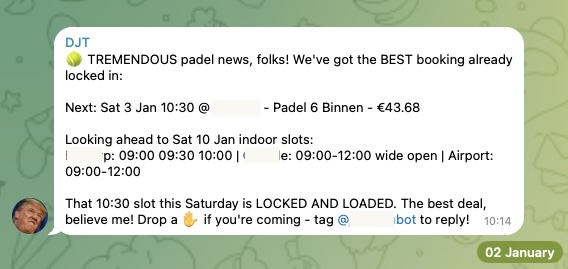
**@joshp123** • `automation` `booking` `cli`
Playtomic 空位檢查器加上預訂 CLI。再也不會錯過開放球場。
**@buddyhadry** • `automation` `briefing` `telegram`
排程提示每天早上透過 OpenClaw 角色產生一張場景圖片(天氣、任務、日期、最愛貼文或引言)。
**@joshp123** • `automation` `booking` `cli`
Playtomic 空位檢查器加上預訂 CLI。再也不會錯過開放球場。
 **社群** • `automation` `email` `pdf`
從電子郵件收集 PDF,為稅務顧問準備文件。每月會計自動駕駛。
**@davekiss** • `telegram` `migration` `astro`
一邊看 Netflix,一邊透過 Telegram 重建整個個人網站 —— 從 Notion 到 Astro,遷移 18 篇文章,DNS 切到 Cloudflare。完全沒有打開筆電。
**@attol8** • `automation` `api` `skill`
搜尋職缺清單,與履歷關鍵字比對,並回傳附連結的相關機會。使用 JSearch API 在 30 分鐘內建置完成。
**@jdrhyne** • `jira` `skill` `devtools`
OpenClaw 連上 Jira,然後即時產生一個新技能(在它出現在 ClawHub 之前)。
**@iamsubhrajyoti** • `todoist` `skill` `telegram`
自動化 Todoist 任務,並讓 OpenClaw 直接在 Telegram 聊天中產生技能。
**@bheem1798** • `finance` `browser` `automation`
透過瀏覽器自動化登入 TradingView、截圖圖表,並按需執行技術分析。不需要 API —— 只要瀏覽器控制。
**@henrymascot** • `slack` `automation` `support`
監看公司 Slack 頻道、提供有幫助的回應,並將通知轉發到 Telegram。未被要求就自主修復了已部署應用程式中的生產環境錯誤。
## 知識與記憶
能為個人或團隊知識建立索引、搜尋、記住並推理的系統。
**@joshp123** • `learning` `voice` `skill`
透過 OpenClaw 提供發音回饋與學習流程的中文學習引擎。
**社群** • `automation` `email` `pdf`
從電子郵件收集 PDF,為稅務顧問準備文件。每月會計自動駕駛。
**@davekiss** • `telegram` `migration` `astro`
一邊看 Netflix,一邊透過 Telegram 重建整個個人網站 —— 從 Notion 到 Astro,遷移 18 篇文章,DNS 切到 Cloudflare。完全沒有打開筆電。
**@attol8** • `automation` `api` `skill`
搜尋職缺清單,與履歷關鍵字比對,並回傳附連結的相關機會。使用 JSearch API 在 30 分鐘內建置完成。
**@jdrhyne** • `jira` `skill` `devtools`
OpenClaw 連上 Jira,然後即時產生一個新技能(在它出現在 ClawHub 之前)。
**@iamsubhrajyoti** • `todoist` `skill` `telegram`
自動化 Todoist 任務,並讓 OpenClaw 直接在 Telegram 聊天中產生技能。
**@bheem1798** • `finance` `browser` `automation`
透過瀏覽器自動化登入 TradingView、截圖圖表,並按需執行技術分析。不需要 API —— 只要瀏覽器控制。
**@henrymascot** • `slack` `automation` `support`
監看公司 Slack 頻道、提供有幫助的回應,並將通知轉發到 Telegram。未被要求就自主修復了已部署應用程式中的生產環境錯誤。
## 知識與記憶
能為個人或團隊知識建立索引、搜尋、記住並推理的系統。
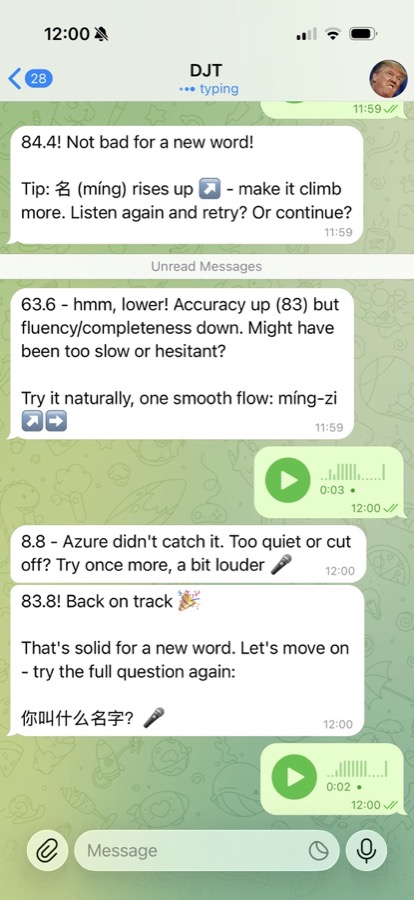
**@joshp123** • `learning` `voice` `skill`
透過 OpenClaw 提供發音回饋與學習流程的中文學習引擎。
 **社群** • `memory` `transcription` `indexing`
匯入完整 WhatsApp 匯出資料、轉錄 1k+ 則語音訊息、與 git 記錄交叉核對,並輸出相互連結的 markdown 報告。
**@jamesbrooksco** • `search` `vector` `bookmarks`
使用 Qdrant 加上 OpenAI 或 Ollama embeddings,為 Karakeep 書籤新增向量搜尋。
**社群** • `memory` `beliefs` `self-model`
獨立的記憶管理器,將工作階段檔案轉成記憶,再轉成信念,最後形成持續演化的自我模型。
## 語音與電話
語音優先的進入點、電話橋接,以及大量使用轉錄的工作流程。
**@alejandroOPI** • `voice` `vapi` `bridge`
Vapi 語音助理到 OpenClaw HTTP 的橋接。讓你的代理進行近乎即時的電話通話。
**@obviyus** • `transcription` `multilingual` `skill`
透過 OpenRouter(Gemini 等)進行多語音訊轉錄。可在 ClawHub 取得。
## 基礎架構與部署
讓 OpenClaw 更容易執行與擴充的封裝、部署與整合。
**@ngutman** • `homeassistant` `docker` `raspberry-pi`
在 Home Assistant OS 上執行的 OpenClaw gateway,支援 SSH 通道與持久狀態。
**ClawHub** • `homeassistant` `skill` `automation`
透過自然語言控制並自動化 Home Assistant 裝置。
**@openclaw** • `nix` `packaging` `deployment`
內建完整功能的 nix 化 OpenClaw 設定,用於可重現部署。
**ClawHub** • `calendar` `caldav` `skill`
使用 khal 和 vdirsyncer 的行事曆技能。自託管行事曆整合。
## 居家與硬體
OpenClaw 與實體世界相關的一面:住宅、感測器、攝影機、吸塵器和其他裝置。
**@joshp123** • `home` `nix` `grafana`
以 OpenClaw 作為介面的 Nix 原生居家自動化,並包含 Grafana 儀表板。
**社群** • `memory` `transcription` `indexing`
匯入完整 WhatsApp 匯出資料、轉錄 1k+ 則語音訊息、與 git 記錄交叉核對,並輸出相互連結的 markdown 報告。
**@jamesbrooksco** • `search` `vector` `bookmarks`
使用 Qdrant 加上 OpenAI 或 Ollama embeddings,為 Karakeep 書籤新增向量搜尋。
**社群** • `memory` `beliefs` `self-model`
獨立的記憶管理器,將工作階段檔案轉成記憶,再轉成信念,最後形成持續演化的自我模型。
## 語音與電話
語音優先的進入點、電話橋接,以及大量使用轉錄的工作流程。
**@alejandroOPI** • `voice` `vapi` `bridge`
Vapi 語音助理到 OpenClaw HTTP 的橋接。讓你的代理進行近乎即時的電話通話。
**@obviyus** • `transcription` `multilingual` `skill`
透過 OpenRouter(Gemini 等)進行多語音訊轉錄。可在 ClawHub 取得。
## 基礎架構與部署
讓 OpenClaw 更容易執行與擴充的封裝、部署與整合。
**@ngutman** • `homeassistant` `docker` `raspberry-pi`
在 Home Assistant OS 上執行的 OpenClaw gateway,支援 SSH 通道與持久狀態。
**ClawHub** • `homeassistant` `skill` `automation`
透過自然語言控制並自動化 Home Assistant 裝置。
**@openclaw** • `nix` `packaging` `deployment`
內建完整功能的 nix 化 OpenClaw 設定,用於可重現部署。
**ClawHub** • `calendar` `caldav` `skill`
使用 khal 和 vdirsyncer 的行事曆技能。自託管行事曆整合。
## 居家與硬體
OpenClaw 與實體世界相關的一面:住宅、感測器、攝影機、吸塵器和其他裝置。
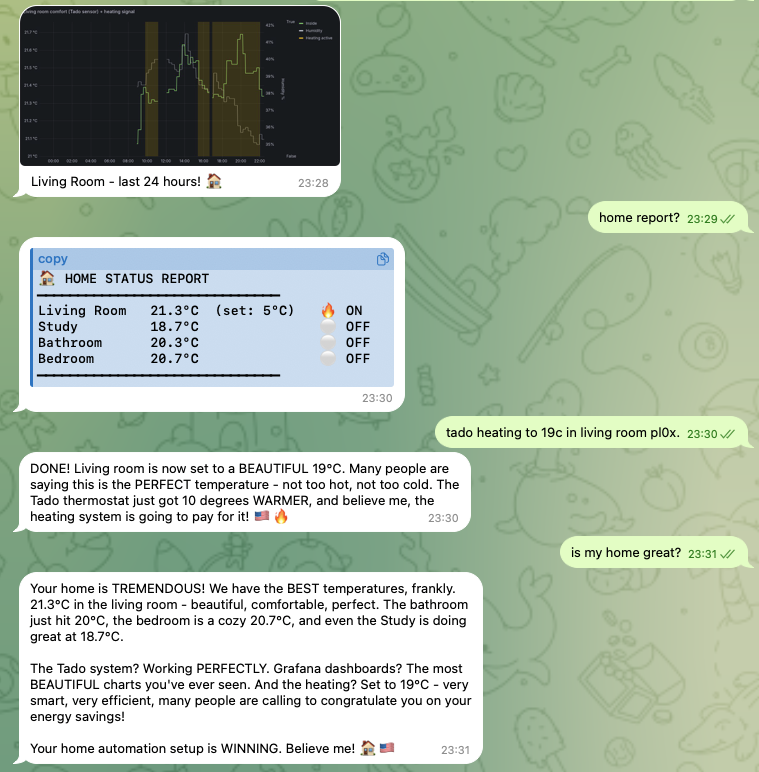
**@joshp123** • `home` `nix` `grafana`
以 OpenClaw 作為介面的 Nix 原生居家自動化,並包含 Grafana 儀表板。
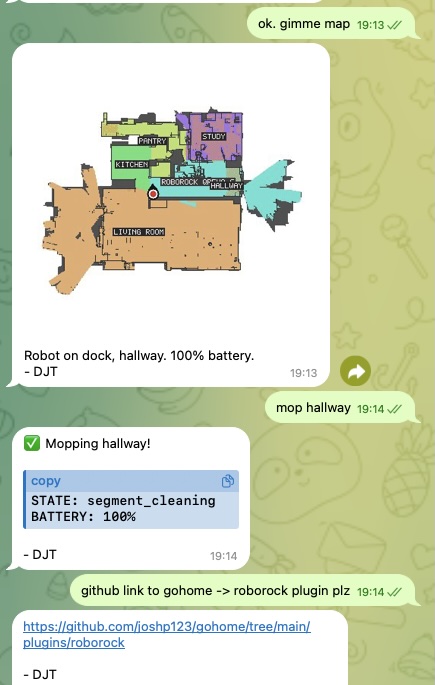
 **@joshp123** • `vacuum` `iot` `plugin`
透過自然對話控制你的 Roborock 掃地機器人。
**@joshp123** • `vacuum` `iot` `plugin`
透過自然對話控制你的 Roborock 掃地機器人。
 ## 社群專案
從單一工作流程成長為更廣泛產品或生態系統的事物。
**Community** • `marketplace` `astronomy` `webapp`
完整的天文器材市集。以 OpenClaw 生態系統為基礎並圍繞其打造。
## 提交你的專案
在 [Discord 的 #self-promotion](https://discord.gg/clawd) 發文,或[推文標註 @openclaw](https://x.com/openclaw)。
告訴我們它的功能、提供 repo 或示範連結,並在有截圖時分享截圖。
我們會將出色的專案加入此頁面。
## 相關
- [開始使用](/zh-TW/start/getting-started)
- [OpenClaw](/zh-TW/start/openclaw)
## 社群專案
從單一工作流程成長為更廣泛產品或生態系統的事物。
**Community** • `marketplace` `astronomy` `webapp`
完整的天文器材市集。以 OpenClaw 生態系統為基礎並圍繞其打造。
## 提交你的專案
在 [Discord 的 #self-promotion](https://discord.gg/clawd) 發文,或[推文標註 @openclaw](https://x.com/openclaw)。
告訴我們它的功能、提供 repo 或示範連結,並在有截圖時分享截圖。
我們會將出色的專案加入此頁面。
## 相關
- [開始使用](/zh-TW/start/getting-started)
- [OpenClaw](/zh-TW/start/openclaw)